
Link in Bio Instagram: Complete Guide to Setup, Optimize & Increase Traffic in 2026
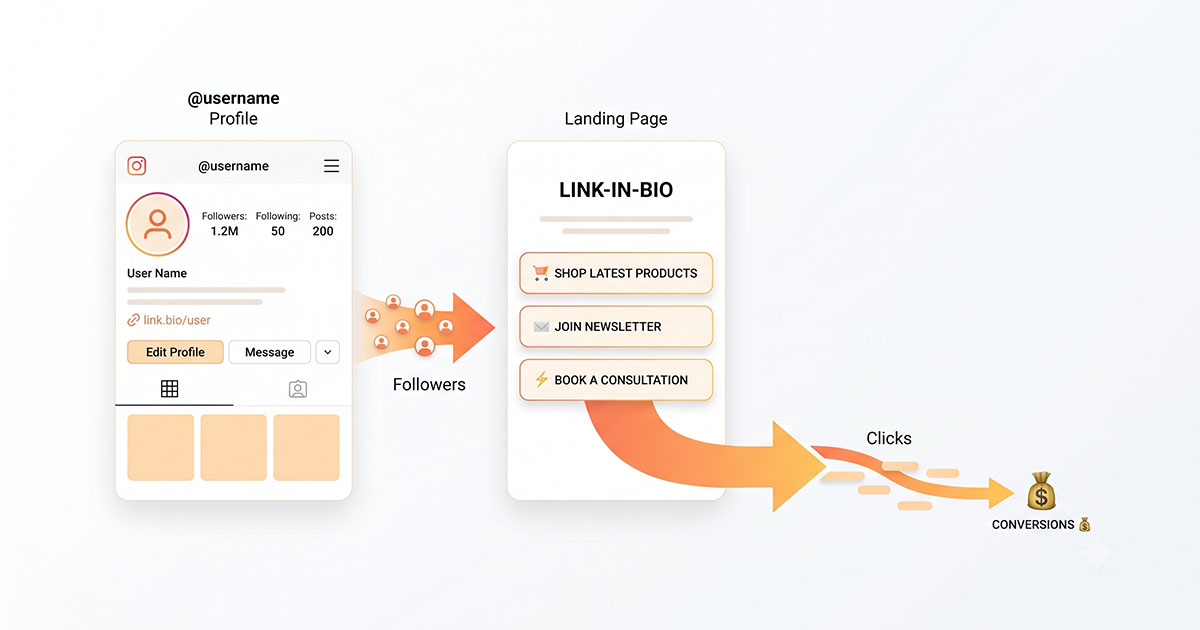
Learn how to set up and optimize your Instagram Link in Bio strategy to increase traffic, improve conversions, and turn profile visits into real results in 2026.
Instagram is still one of the strongest platforms for creators, brands, coaches, and online businesses. But there’s one limitation every user faces: you only get limited space to direct followers outside the app.Instagram itself confirms in its official Help Center that external linking options are intentionally limited as part of its in-app engagement strategy.
That’s why Link in Bio Instagram strategy matters more than ever.
Your Instagram bio is often the first thing people check after landing on your profile. If your Link in Bio Instagram setup is weak, confusing, or outdated, you lose clicks, leads, and sales without realizing it.
The good news is that Instagram has improved its linking features. You can now add multiple links directly inside your profile, and if you need more flexibility, there are tools designed to turn that single space into a high-converting traffic hub.
This guide covers everything you need to know about Link in Bio Instagram, from how it works and how to set it up to how to optimize it for traffic growth and conversion performance.
What Does “Link in Bio” Mean on Instagram?
The phrase Link in Bio Instagram simply refers to the clickable website links placed inside an Instagram profile’s bio section.
For years, Instagram only allowed users to place one clickable external link there. That made the bio link incredibly valuable.
Creators started writing “link in bio” in captions, Stories, and Reels to push followers toward that one traffic source.
Today, Instagram officially allows users to add up to five external links directly in their profile. This update has been confirmed in Instagram’s official product updates and Help Center documentation, reflecting a shift toward more flexible creator linking options.
That gives more flexibility, but strategy still matters.
Why Your Instagram Bio Link Matters for Traffic and Conversions
Your Link in Bio Instagram can help you:
-
Drive traffic to your website
-
Promote products
-
Grow your email list
-
Send followers to YouTube or TikTok
-
Book calls or appointments
-
Share affiliate offers
-
Promote limited-time launches
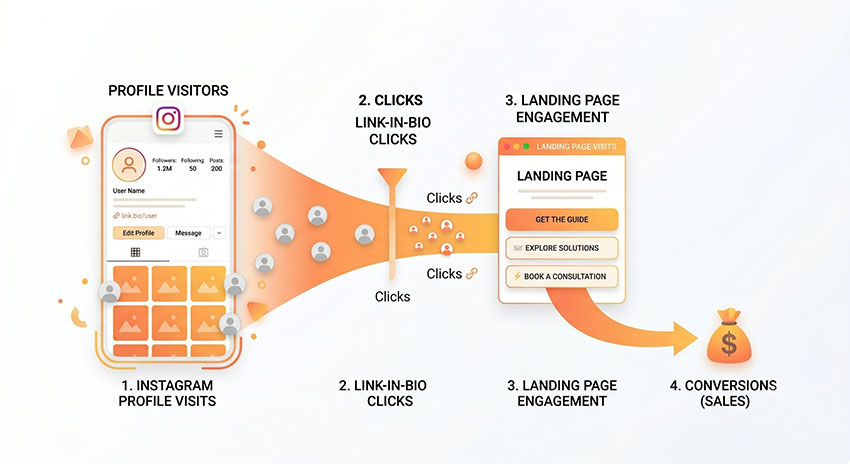
A strong bio link turns profile visits into measurable actions.
Industry research from social media marketing platforms such as Later and HubSpot consistently shows that Instagram traffic is most effective when users are guided through a single optimized conversion path rather than fragmented destinations.
Why Instagram Limits External Linking
Instagram intentionally limits external linking to keep users engaged within the app ecosystem. According to Meta’s official Instagram Help Center documentation, link placement in profiles and captions is structured to balance external traffic with in-app engagement priorities.
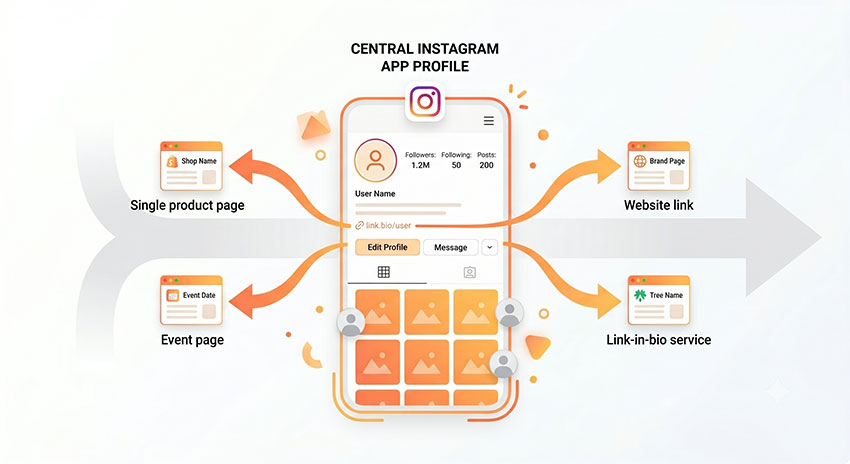
This is why your Link in Bio Instagram becomes the primary controlled outbound entry point.
How to Add a Link to Your Instagram Bio
Instagram now allows users to add both single and multiple external links directly inside their profile settings, making Link in Bio Instagram management more flexible than before.
Add a Single Link
If you only need to promote one website or landing page, the setup process is very straightforward:
- Open Instagram
- Go to your profile
- Tap Edit Profile
- Tap Links
- Select Add External Link
- Enter your URL
- Add a title
- Save changes
Once saved, the link will immediately appear in your profile bio section and become clickable for visitors.
Add Multiple Links (Up to Five)
Instagram now officially supports up to five external links, which is useful for users managing different campaigns or destinations.
To add multiple links:
- Open your profile
- Tap Edit Profile
- Tap Links
- Choose Add External Link
- Enter link title and destination
- Repeat up to five entries
- Drag to reorder priority links
This update significantly improves flexibility, especially for creators who previously relied on third-party tools just to manage multiple destinations.
However, link placement still matters — the first visible links typically receive the majority of clicks.
When You Need More Than Native Instagram Links
Although Instagram’s built-in linking feature is enough for many users, it can feel limited in more complex use cases.
You may need additional flexibility if you:
- Run multiple campaigns at the same time
- Promote several products or offers
- Want detailed click analytics and tracking
- Need branded landing pages
- Build structured funnels or email capture flows
In these scenarios, third-party link-in-bio tools become useful because they allow you to centralize traffic into a single optimized landing page.
Instead of managing links individually inside Instagram, you can design a dedicated conversion-focused page that organizes all destinations in one place.
5 Top Link in Bio Platforms for Instagram Profile in 2026
Here are five of the strongest options right now based on common usage patterns among creators, marketers, and small businesses managing Instagram traffic.
1. Linktree
Best for: Beginners who want the fastest setup possible
In most real-world creator setups, Linktree tends to be the first tool people try when they start building a Link in Bio Instagram page. One of the most noticeable things during setup is how quickly everything comes together — many users can publish a working page in just a few minutes without needing any technical background.
From a usability perspective, this simplicity is often the main reason it gets chosen. Creators usually don’t want to spend time configuring layouts or integrations when they are just trying to get a link live.
However, as usage grows, limitations become more visible. Customization feels somewhat restricted, and more advanced features like deeper analytics or branded experiences are usually locked behind paid plans.
Still, for early-stage creators or accounts that prioritize speed over complexity, Linktree remains one of the most straightforward entry points.
Key Features
- Extremely fast setup
- Clean dashboard
- Built-in analytics
- Third-party integrations
- Widely recognized interface (reduces user hesitation)
2. Beacons
Best for: Monetizing creators and influencers
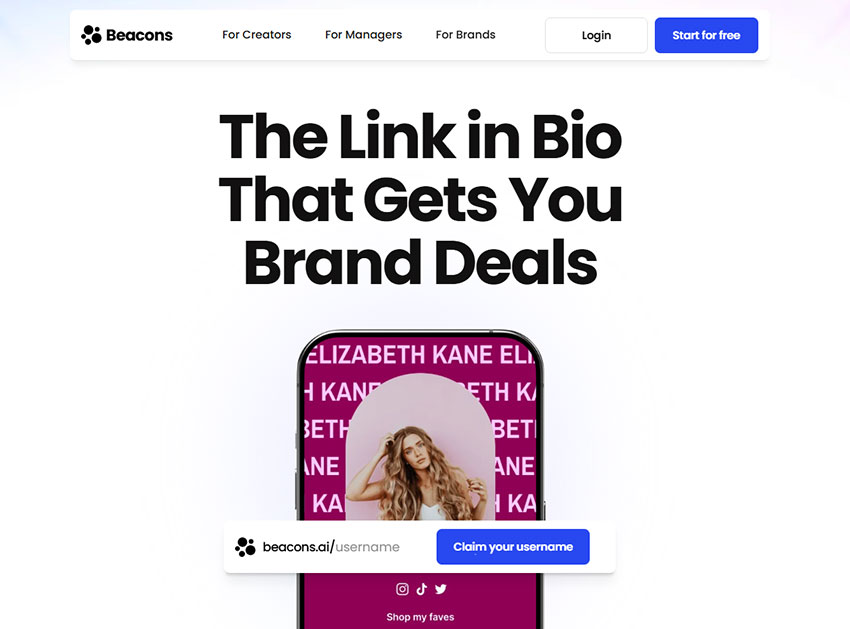
Beacons is often chosen by creators who are already thinking beyond just traffic and are more focused on monetization workflows.
What stands out in actual use is how many functions are consolidated into one place. Instead of switching between tools for email capture, product selling, and booking pages, everything sits inside a single dashboard.
For creators running sponsorships, coaching programs, or digital product funnels, this reduces a lot of operational friction. It feels less like a simple link tool and more like a lightweight creator business hub.
Because of that, it tends to be more popular among mid-to-advanced creators who already have an audience and want to convert traffic more effectively.
Key Features
- Digital product selling
- Email capture forms
- Monetization tools
- Audience insights
- Conversion-oriented layouts
3. BioLinku
Best for: Zero-budget creators needing analytics visibility
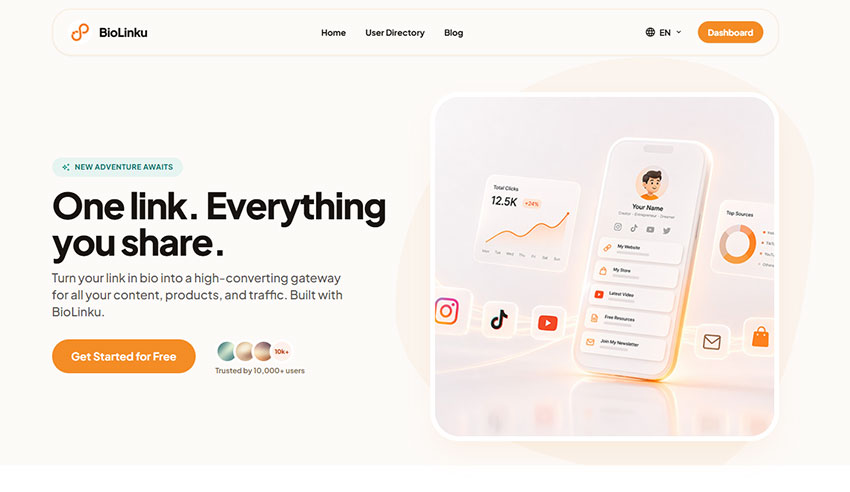
BioLinku is often appealing in the early stage because the free plan feels more usable compared to many competitors that heavily restrict core features.
A noticeable advantage is that creators can manage multiple links without immediately hitting upgrade barriers, which is useful when testing different offers or affiliate campaigns.
Another practical benefit is real-time click tracking. In real usage, this makes it easier to quickly understand which links are actually getting attention instead of guessing based on assumptions.
While the ecosystem is smaller compared to more established tools, it still covers the essential needs for creators who prioritize performance tracking over advanced integrations.
Key Features
- Free unlimited links
- Multiple design themes
- Real-time click analytics
- Fast editing experience
- Mobile-friendly layout
4. Later
Best for: Social media managers and scheduled content workflows
Later is often used in structured content environments where Instagram posts are planned in advance rather than published spontaneously.
One of the most practical advantages is how its Linkin.bio feature connects scheduled posts directly to specific landing pages. In real campaigns, this creates a very direct path between content and conversion — users click expecting a specific piece of content and land exactly where that intent is fulfilled.
This reduces friction in content-driven funnels and is especially useful for brands publishing frequently or running multi-post campaigns.
Over time, this setup tends to create a more predictable traffic flow compared to generic link hubs.
Key Features
- Post-linked landing pages
- Scheduling integration
- Campaign tracking
- Performance analytics
- Feed-based navigation
5. Tap.bio
Best for: Mobile-first storytelling brands
Tap.bio takes a slightly different approach compared to traditional link-in-bio tools by using a swipe-based interface rather than a static list of buttons.
In practice, this feels closer to how users already interact with Instagram Stories, which can make the browsing experience more intuitive for certain audiences.
It tends to work particularly well for portfolios, product launches, or storytelling-based funnels where guiding users step-by-step is more effective than presenting all options at once.
For mobile-first brands, this format often feels more engaging than traditional link lists.
Key Features
- Swipeable card layout
- Story-like navigation
- Mobile-first design
- Fast interaction flow
- Guided user experience
Why Your Instagram Bio Link May Not Work Properly
Even a well-designed Link in Bio Instagram setup can experience technical issues that prevent users from accessing the destination correctly. Small problems like broken URLs, app cache delays, or temporary Instagram restrictions can interrupt traffic and reduce engagement without creators noticing immediately.
1. Broken or Invalid URLs
Incorrect formatting is one of the most common causes of a broken Instagram bio link. Missing “https://” prefixes, expired redirects, or accidental spaces can prevent pages from loading correctly. This often happens when creators quickly update campaign links without testing them afterward.
Before publishing a new link, always test it manually from a mobile device to confirm the destination works properly.
2. Instagram Restrictions
Instagram may temporarily limit links that appear suspicious or spam-related. Excessive redirects, cloaked affiliate URLs, or low-trust shorteners can sometimes trigger warning screens or reduced visibility.
Using clean, branded URLs generally improves both platform trust and user confidence.
3. App Cache Delays
Sometimes your Link in Bio Instagram update is correct, but the app continues displaying an older version temporarily due to cache delays.
This issue is especially common during fast-moving promotions or product launches. Logging out, refreshing the app, or waiting several minutes often resolves the problem.
4. Temporary Platform Bugs
Instagram occasionally experiences short-term bugs or account-level restrictions that affect profile links. Rapid profile edits or unusual activity patterns may temporarily impact link visibility.
If your bio link suddenly stops working despite correct setup, checking Instagram’s account status tools can help identify temporary restrictions or platform-related issues.
Common Link in Bio Mistakes That Hurt Conversion
In many cases, the Instagram bio link itself works correctly, but users still fail to click or convert because the experience feels confusing, slow, or disconnected from the original content. Conversion performance often depends more on clarity and user experience than the link itself.
1. Too Many Links Create Decision Fatigue
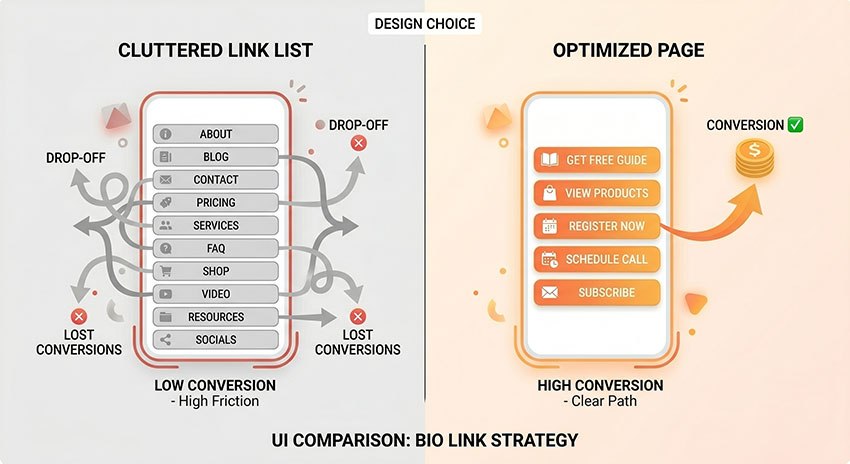
One of the biggest Link in Bio Instagram mistakes is overcrowding the page with too many choices. When users see endless buttons, offers, and destinations at once, decision-making becomes harder.
High-performing bio pages usually prioritize only a few high-intent actions at the top of the page to reduce friction and improve click-through rates.
2. Weak CTA Labels Reduce Click Intent
Generic labels like “Click Here” or “Learn More” rarely create strong engagement. Users are more likely to click when the CTA clearly explains the value behind the action.
Specific wording such as “Download the Free Creator Guide” or “Book Your Free Consultation” tends to perform better because it immediately sets expectations.
3. Slow Mobile Landing Pages Increase Bounce Rate
Most Instagram traffic comes from mobile devices, where loading speed directly affects user behavior. Heavy animations, oversized images, and bloated scripts can slow down landing pages and increase bounce rates before visitors even interact with the content.
Fast-loading pages create a smoother transition from Instagram to the final destination.
4. Mismatched Content Hurts Trust
Your Instagram content and bio destination should feel connected. If a Reel promotes a free resource but the bio link opens a generic homepage, users often lose trust immediately.
Strong Link in Bio Instagram strategies maintain consistency between the content users see inside Instagram and the page they reach after clicking.
5. Inconsistent Branding Lowers Conversion Confidence
Visitors make trust decisions quickly. If your Instagram profile looks polished but your landing page feels outdated or visually disconnected, conversion rates often drop.
Consistent colors, fonts, messaging, and visual style help the bio page feel like a natural extension of the Instagram profile, which improves overall user confidence and engagement.
Best Tips for Optimizing Your Link in Bio Instagram Strategy
Adding links is easy.
Getting clicks consistently is where strategy matters.
A high-performing Link in Bio Instagram setup isn’t static. It evolves alongside your content, audience behavior, and business goals.
The most successful creators regularly optimize their bio links based on performance data rather than guessing.
Match Your Bio Link to Current Content
Your Instagram content and bio destination should always feel connected.
If your newest Reel promotes a free guide, your Link in Bio Instagram should send users directly to that guide — not your homepage or a generic link list.
When users see consistency between what you post and where they land, they trust the click and convert more often.
Relevance reduces hesitation.
Write Action-Oriented Link Titles
Most creators underestimate how much wording influences click-through rates, but in real user behavior, people rarely click just because a link exists — they click because they immediately understand the value behind it.
Generic labels like “Visit Here” or “Check This Out” often fail to create urgency because they do not clearly communicate what the user will get after clicking. This increases hesitation, especially on mobile where attention spans are short and decisions are made quickly.
Stronger results usually come from action-oriented titles that clearly describe the outcome or benefit of the click. For example:
- Download the Free Checklist
- Watch the New Tutorial
- Shop the Summer Collection
- Book Your Free Call
In practice, these types of CTAs perform better because they reduce uncertainty and make the next step feel more concrete.
The more specific the promise, the easier it becomes for users to take action.
Prioritize High-Intent Links First
Multiple creator analytics studies have shown that the first visible CTA inside a bio landing page often captures the majority of total clicks, especially on mobile devices where attention drops rapidly after the first screen.
The first visible links usually capture most clicks.
Put your highest-value destinations first:
-
Current offers
-
New launches
-
Most important content
-
Revenue-generating pages
Everything else should support, not distract.
The easier the decision feels, the higher your click-through rate tends to be.
Keep Visual Branding Consistent
Your landing page should feel like an extension of your Instagram profile.
If your Instagram aesthetic is polished and modern but your bio landing page looks generic or cluttered, trust drops immediately.
Use matching:
-
Fonts
-
Colors
-
Profile photos
-
Brand language
-
CTA tone
This consistency creates familiarity and improves user confidence.
Strong visual continuity often increases conversion without changing the offer itself.
Track Link Performance and Adjust Often
Optimization is impossible without measurement.
A strong Link in Bio Instagram strategy relies on regular performance review.
Track which links receive clicks, which offers convert, and which placements underperform.
Then adjust accordingly.
Sometimes simply changing a title or moving one link higher can double click-through performance.
Small improvements compound quickly over time.
Remove Low-Value Distractions
Many creators overload their Link in Bio Instagram page because they don’t want to hide opportunities.
This usually hurts performance instead of helping it.
In many creator funnels, adding more links does not increase engagement. It often spreads clicks across low-priority destinations and reduces overall conversion focus.
If a link consistently receives little engagement, remove it or move it lower. Simplifying navigation helps visitors focus on actions that matter most.
Link in Bio vs Direct Landing Pages
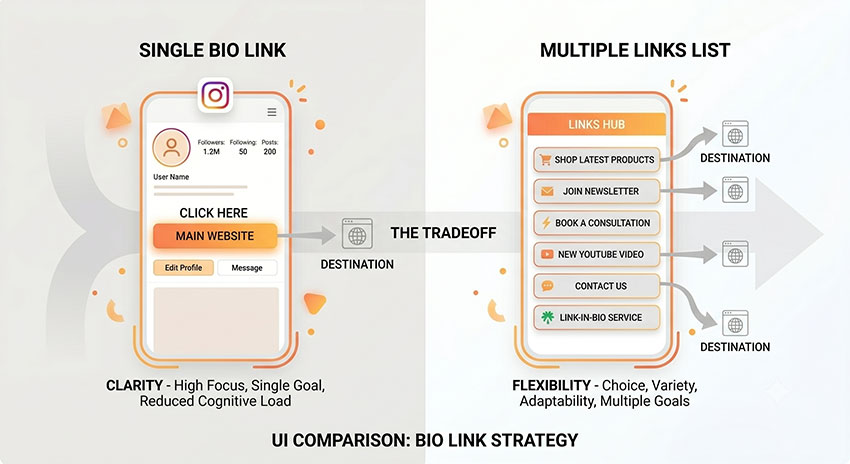
Choosing between a direct link and a link-in-bio landing page is a key decision in optimizing your Instagram bio traffic strategy and improving conversion performance.
A direct link works best when your goal is focused on a single action, such as a product launch, webinar signup, or specific offer. It reduces friction by sending users straight to the intended destination without distractions.
A link-in-bio landing page is more effective when you need to present multiple options, such as different products, content channels, or ongoing campaigns. It allows you to organize traffic and guide users based on intent.
In general, direct links tend to perform better for high-conversion campaigns, while landing pages are better for long-term audience distribution and multi-offer strategies. The right choice depends on whether your goal is focus or flexibility.
The right choice depends on whether your goal is conversion-focused simplicity or scalable traffic distribution.
Link in Bio Instagram Examples That Drive Clicks
Strong-performing Link in Bio Instagram pages usually share one consistent trait: clarity. In most real creator and business setups, the best-performing links are not the most complex ones, but the ones that make the next action immediately obvious.
Across different industries, user behavior tends to follow a similar pattern — visitors rarely explore deeply. Instead, they click the first relevant and clearly labeled option.
Creator Example
In most YouTuber setups, bio links tend to follow a very focused structure:
- Watch newest video
- Download creator toolkit
- Join newsletter
What stands out in practice is how minimal these setups are. Successful creators rarely overload their bio page. Instead, they prioritize content that extends their existing audience relationship rather than trying to introduce too many new actions at once.
This focus tends to increase click-through rates because users are not forced to choose between too many competing options.
Ecommerce Example
For ecommerce brands, Link in Bio Instagram pages are usually structured around purchase intent:
- New arrivals
- Best sellers
- Sale section
- Loyalty rewards
One noticeable pattern in these setups is that brands often mirror their website hierarchy inside the bio link page. This consistency helps users quickly understand where to go without cognitive friction.
In practice, “best sellers” and “sale” sections tend to attract the highest engagement because they align with existing purchase intent rather than requiring additional exploration.
Coach Example
Business coaches and consultants typically use bio links as a trust-building funnel:
- Book free strategy call
- Download framework
- View client testimonials
What is interesting here is that the sequence itself acts as a soft conversion funnel. Users who are not ready to book directly often engage with educational or proof-based content first.
In many real funnels, testimonial pages and free frameworks act as intermediate steps that increase overall booking conversion rates.
Local Business Example
Local businesses such as restaurants or service providers usually focus on immediate action:
- Reserve table
- View menu
- Order delivery
- Get directions
What stands out in real usage is that these links are highly utility-driven. Users are not exploring; they are trying to complete a task as quickly as possible.
Because of this, conversion tends to depend heavily on how quickly users can access the most relevant action without scrolling or decision delays.
FAQs About Link in Bio Instagram
Is Instagram’s native multi-link feature enough for most users?
Instagram’s built-in multi-link feature works well for creators or businesses that only need a few simple destinations. However, many growing brands eventually need deeper customization, click analytics, email capture, or conversion tracking that native links do not fully support.
For advanced campaigns, dedicated Link in Bio Instagram tools usually provide more flexibility and branding control.
Does using a third-party Link in Bio Instagram tool affect reach?
There is no confirmed evidence that Instagram reduces reach simply because users add third-party bio link tools like Linktree or Beacons.
In most cases, performance depends more on the relevance of the destination, mobile loading speed, and overall user experience after the click.
Poor landing pages generally hurt conversions far more than the tool itself.
How often should you update your Instagram bio link?
Your Link in Bio Instagram should be updated whenever your content focus changes.
Common update triggers include:
-
Product launches
-
New Reels or campaigns
-
Limited-time promotions
-
New lead magnets
-
Seasonal offers
High-performing creators often adjust their bio links alongside active content campaigns rather than leaving the same destination live for months.
Should creators use direct links or bio landing pages?
A direct link usually works best when there is only one clear goal, such as promoting a single product, webinar, or signup page.
A bio landing page becomes more effective when creators need to organize multiple destinations, campaigns, affiliate offers, or content channels in one place.
Many brands combine both strategies by linking directly during focused campaigns and switching back to a broader landing page afterward.
Are Linktree pages bad for SEO?
Linktree pages are not inherently bad for SEO, but they are not designed to replace a fully optimized website.
Most Linktree-style pages have limited indexable content and rely heavily on outbound links rather than long-form searchable information. For creators focused mainly on social traffic, this is usually not a major issue.
However, brands investing heavily in organic search growth often prefer custom landing pages or branded domains for stronger long-term SEO control.
Does Instagram reduce reach for external bio links?
Instagram limits clickable outbound links across the platform because it wants users to remain inside the app longer. However, there is no public evidence showing that Instagram directly penalizes accounts simply for using external bio links.
What matters more is engagement quality. If users consistently interact with your content and continue engaging after visiting your link, performance is generally more stable over time.
How many links should you put in an Instagram bio?
Less is usually better.
Although Instagram supports multiple links, too many options can reduce click-through rates by creating decision fatigue. In many creator-focused campaigns, the first visible links receive the majority of user attention.
Most high-performing Link in Bio Instagram pages prioritize only a few high-intent actions at the top of the page.
Why do some bio links get clicks but few conversions?
This usually happens when the landing page experience does not match user expectations.
Common causes include:
-
Slow mobile loading speeds
-
Weak CTA messaging
-
Cluttered layouts
-
Mismatched content
-
Poor mobile optimization
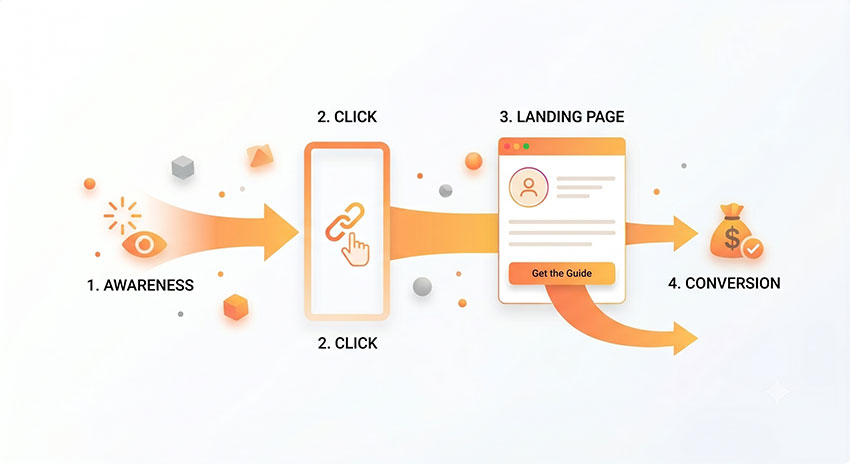
Getting the click is only the first step. Strong conversion performance depends on what users experience immediately after they land on the page.
Conclusion: The Importance of Instagram Link in Bio Strategy in 2026
A Link in Bio Instagram setup is more than a profile detail — it acts as a controlled entry point that shapes how users move from Instagram to external destinations.
While Instagram’s native multi-link feature improves flexibility, it still offers limited control over optimization, tracking, and conversion-focused design. This is why many creators and brands eventually rely on more structured link-in-bio strategies.
Ultimately, performance is less about follower count and more about how intentionally the bio link is designed to guide users from attention to action.