
10 Best Link in Bio Tools for 2026 (Boost Social Conversions & Creator Growth)

Discover the 10 best link in bio tools for 2026 to boost social conversions on Instagram, TikTok, and other platforms. Compare features, pricing, and ease of use.
Best Link in Bio Tools have become essential for creators and brands in 2026, evolving far beyond simple digital business cards into high-performance micro-landing pages that drive conversions. According to Later’s 2025 Instagram Marketing Report, posts that link to optimized landing pages see higher engagement and click-through rates, highlighting the growing importance of a well-designed bio page.
With social algorithms increasingly limiting outbound clicks, the choice of link-in-bio tool can determine whether a follower converts immediately or leaves without engaging. This guide cuts through the marketing noise, analyzing top-performing platforms and real-world creator case studies, to help you select the best link-in-bio solution for maximum conversions in 2026.
Why a Simple Bio Link Is No Longer Enough
A few years ago, a single landing page with a handful of links was sufficient for social media profiles.
That is no longer the case. According to HubSpot’s 2025 Social Media Marketing Report, over 70% of users expect immediate access to content or products when visiting a social profile, and slow or cluttered pages significantly increase bounce rates.
With platforms like Instagram and TikTok increasingly limiting outbound reach, every profile click has become more valuable. Today, your bio page often functions as your highest-converting traffic funnel, directing followers toward specific actions such as:
- Buying a product
- Joining a newsletter
- Booking a consultation
- Watching featured content
- Accessing resources
- Contacting your business
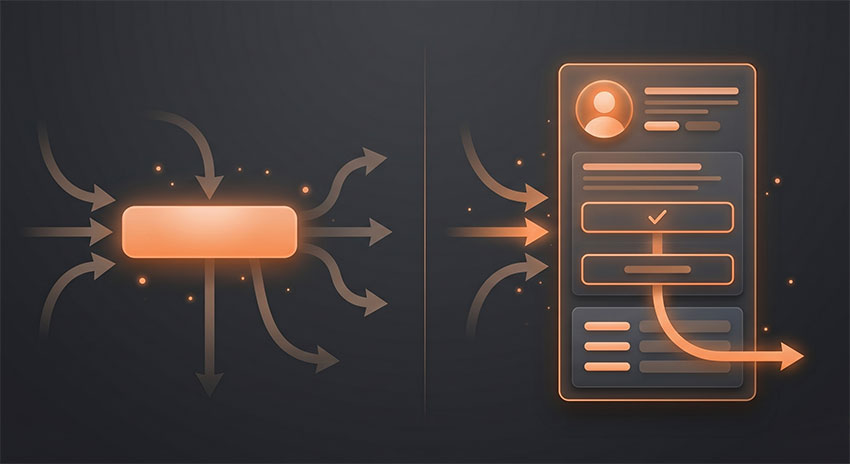
If a page feels generic, cluttered, or slow, most users leave immediately. The strongest link in bio tools in 2026 focus on measurable conversion performance, integrating analytics, lead capture, and optimized call-to-action elements—not just displaying a list of buttons.
Top Picks: A Quick Look at the Best Link in Bio Tools
Here are the best link in bio tools at a glance:
-
Linktree — Best for mainstream familiarity
-
Biolinku — Best free beginner-friendly option
-
Lnk.Bio — Best long-term budget value
-
Beacons — Best for creator monetization
-
Campsite — Best for professional teams
-
Shorby — Best for direct-response funnels
-
Later Link in Bio — Best for Instagram commerce
-
Taplink — Best affordable business toolkit
-
Carrd — Best for full design control
-
Stan Store — Best for digital product creators
How I Evaluated These Link in Bio Tools
To identify the best link in bio tools in 2026, I tested more than 20 platforms across Instagram, TikTok, and creator-focused landing pages. Instead of focusing only on feature lists, I evaluated how each tool performed in real-world usage scenarios.
The review process focused on:
- Mobile loading speed
- Ease of setup and customization
- Conversion-focused features
- Analytics and tracking
- Monetization support
- Overall user experience on mobile devices
I also compared both free and paid plans to see which platforms delivered genuine value for creators, freelancers, and small businesses.
10 Best Link in Bio Tools Reviewed: Deep Dive
After testing and comparing a wide range of platforms, the tools below stood out for their overall performance, usability, customization options, and creator-focused features.
Some are better suited for monetization, while others prioritize simplicity, branding, or affordability. The best choice ultimately depends on how you plan to use your bio traffic in 2026.
1. Linktree
Linktree remains the most recognizable platform in the link in bio space, and that familiarity still matters in 2026. During testing, Linktree pages consistently felt trustworthy and immediately recognizable, especially on Instagram profiles where users are already accustomed to seeing the brand.
One of Linktree’s biggest strengths is ease of setup. Among all the tools tested, it was one of the fastest platforms to publish with. A functional creator page could be built in minutes using the drag-and-drop editor, without needing any design experience.
The platform has also evolved far beyond basic link lists. It now includes storefront integrations, affiliate tools, lead capture forms, scheduling features, and embedded social content, making it suitable for creators who want an all-in-one solution.
However, the platform starts to feel heavier as more widgets and embeds are added. In mobile testing, pages with multiple integrations sometimes loaded slower than lighter alternatives like Lnk.Bio or Biolinku. Pricing is another downside, especially for creators who only need core link management features.
Overall, Linktree works best for creators who prioritize speed, familiarity, and simplicity over deep customization or advanced monetization flexibility.
Key Features
- Drag-and-drop editor
- Commerce integrations
- Link scheduling
- Analytics dashboard
- Social embeds
- Email capture
Pricing
- Free
- Starter: $8/month
- Pro: $15/month
- Premium: $35/month
2. Biolinku
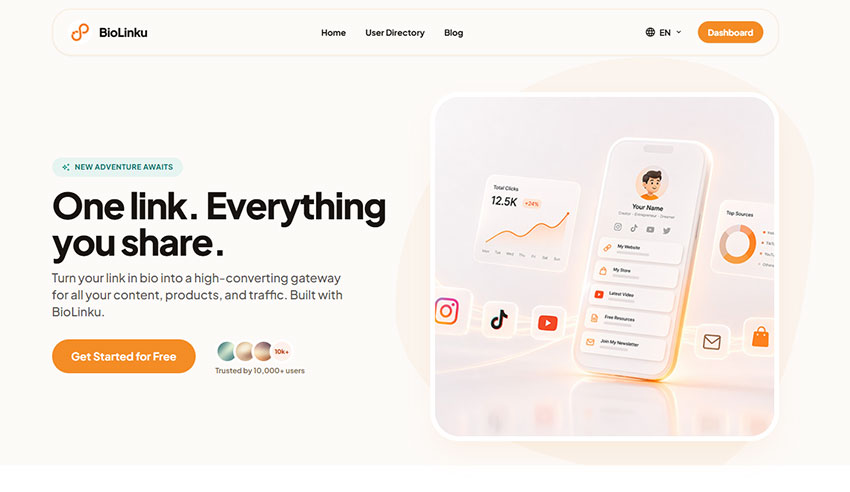
Biolinku stands out as one of the simplest link in bio tools to set up, especially for beginners who want a clean page without dealing with complicated editors or upgrade pressure.
During testing, the onboarding process felt noticeably lighter than many mainstream competitors. A basic bio page with profile branding, multiple links, and theme customization could be published in just a few minutes, even on the free plan.
One of its biggest advantages is that it does not aggressively restrict free users. While many platforms lock customization or link limits behind paid tiers, Biolinku allows unlimited links and practical personalization features without requiring a subscription. That makes it especially appealing for smaller creators, side projects, and freelancers working with limited budgets.
The platform also performed well in mobile testing. Pages loaded quickly and felt less cluttered compared to heavier tools with multiple embedded widgets.
Customization is simpler than advanced platforms like Carrd or Beacons, but for users who prioritize speed, ease of use, and core functionality, that simplicity is often a benefit rather than a limitation.
Overall, Biolinku works best for creators who want an affordable, beginner-friendly solution that focuses on practicality instead of feature overload.
Key Features
- Unlimited links
- Multiple visual themes
- Personalized homepage customization
- Real-time click tracking
- Beginner-friendly setup
Pricing
- Free
3. Lnk.Bio
Lnk.Bio remains one of the strongest budget-friendly options in the link in bio space, especially for creators who want long-term value without committing to another monthly subscription.
During testing, the platform consistently felt lightweight and fast. Pages loaded quickly on mobile devices, and the overall experience stayed clean and distraction-free even with multiple links and scheduled content blocks enabled.
Its biggest advantage is pricing flexibility. Unlike many competitors that push users toward recurring plans, Lnk.Bio offers a lifetime payment option that is surprisingly practical for creators managing personal brands, side projects, or long-term social profiles.
The platform also handles frequent publishing well. Features like grid layouts, scheduled links, and analytics exports make it useful for creators who regularly update content across Instagram, TikTok, or YouTube.
That said, the interface feels less polished than newer platforms like Beacons or Campsite. During testing, some layouts appeared slightly dated, and customization options were more functional than visually impressive.
Still, for creators who prioritize speed, simplicity, and cost efficiency over advanced branding aesthetics, Lnk.Bio remains one of the best overall value picks in 2026.
Key Features
- Unlimited links
- Grid layout support
- Scheduling tools
- Analytics export
- Lifetime pricing
Pricing
- Free
- Mini: $0.99/month
- Unique: $24.99 one-time payment
4. Beacons
Beacons is designed for creators who view their bio page as a monetization channel rather than just a list of links.
During testing, the platform felt closer to a lightweight creator business hub than a traditional link in bio tool. In addition to standard links, Beacons supports digital product sales, email collection, media kits, audience segmentation, and funnel-style monetization features from a single dashboard.
For creators already generating traffic from TikTok, Instagram, or YouTube, this level of integration can be extremely powerful. Features like lead capture, product selling, and audience tools reduce the need to connect multiple third-party services together.
However, Beacons also had one of the steeper learning curves among the tools tested. Setting up storefront logic, upsells, audience flows, and monetization blocks requires more configuration than simpler platforms like Linktree or Biolinku. For beginners, the interface can initially feel crowded and feature-heavy.
In mobile testing, pages generally performed well, although heavily customized layouts occasionally felt visually dense compared to more minimalist alternatives.
Overall, Beacons works best for creators focused on monetization, digital products, and audience growth rather than simple link sharing.
Key Features
- Product selling
- Email collection
- Media kits
- Audience segmentation
- AI optimization tools
Pricing
- Free
- Creator: $8.33/month
- Creator Plus: $25/month
- Creator Max: $75/month
5. Campsite
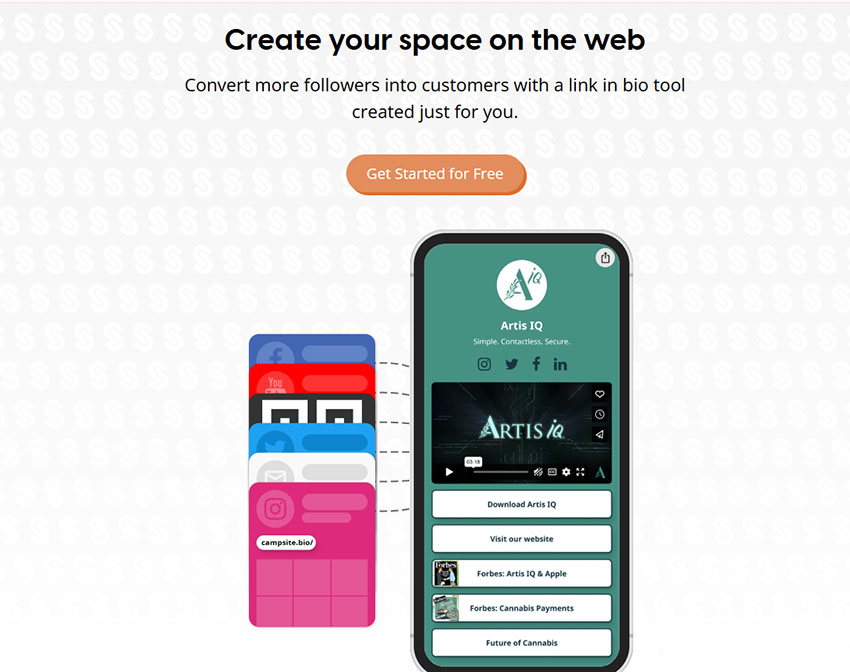
Campsite is one of the most polished professional-focused link in bio tools available in 2026, especially for brands, teams, and creators who care heavily about presentation quality.
During testing, Campsite consistently stood out for its clean layouts, balanced spacing, and strong typography hierarchy. Even without extensive customization, pages felt more refined and brand-ready than many competing platforms.
The platform also handled collaboration workflows better than most tools tested. Features like shared management access, branded templates, scheduling tools, and organized analytics make it particularly useful for marketing teams, agencies, or creators managing multiple campaigns at once.
Another strength is visual consistency. Campsite pages tend to feel more structured and trustworthy, which can help brands maintain a more professional identity across Instagram, TikTok, and other social channels.
Its biggest limitation is monetization depth. Compared to platforms like Beacons or Stan Store, Campsite focuses more on presentation and organization than direct digital selling or advanced funnel building.
Overall, Campsite works best for businesses, professional creators, and teams that prioritize branding, collaboration, and clean design over aggressive monetization features.
Key Features
- Team collaboration
- Custom domains
- Link scheduling
- Analytics dashboard
- Branded templates
- Marketing integrations
Pricing
- Free
- Pro: $7/month
- Pro+: $24/month
6. Shorby
Shorby takes a noticeably different approach compared to most traditional link in bio tools. Instead of prioritizing a visual landing page experience, it is built around direct-response funnels and messenger-based conversions.
During testing, the biggest difference was how quickly the platform pushes users toward action. Rather than encouraging browsing through multiple links, Shorby focuses on driving clicks into WhatsApp, Messenger, or other chat-based channels almost immediately.
This makes it particularly effective for ecommerce brands, paid ad funnels, and lead generation campaigns where the goal is not exploration, but instant engagement. In practice, it feels less like a “profile page” and more like a conversion bridge between traffic and conversation.
The platform also performed well in tracking and retargeting use cases. Pixel integration and campaign tracking tools make it easier to understand where clicks are coming from and how users behave after interacting with the page.
However, Shorby is not designed for strong visual branding. During testing, customization options felt more limited compared to tools like Beacons or Carrd, and pages prioritize function over aesthetics.
Overall, Shorby is best suited for performance-driven use cases where conversions matter more than design, especially in paid traffic or messaging-first funnels.
Key Features
- Messenger funnels
- WhatsApp integration
- Dynamic links
- Retargeting pixels
- Campaign analytics
- CTA optimization
Pricing
- Rocket: $12/month
- Pro: $24/month
- Agency: $82/month
7. Later Link in Bio
Later Link in Bio performs particularly well for Instagram-first brands, especially those already using Later as part of their content scheduling workflow.
During testing, its most noticeable advantage was the visual Instagram feed integration. Instead of relying on standard button-style links, users can click directly on recognizable Instagram posts. This created a more familiar browsing experience and, in some cases, improved engagement because the transition from content to action felt more natural.
For users already working inside the Later ecosystem, the experience is especially smooth. Content scheduling, post publishing, and link management all connect into a unified workflow, which reduces friction when managing Instagram-driven campaigns.
However, outside of that ecosystem, the value proposition becomes less compelling. Compared to standalone tools like Beacons or Linktree, customization options are more limited, and flexibility is reduced if you are not actively using Later for social scheduling.
In testing, this made Later Link in Bio feel more like an extension of an Instagram management tool rather than a standalone conversion platform.
Overall, it is best suited for Instagram-heavy creators and brands who already rely on Later for content planning and want a tightly integrated workflow.
Key Features
- Clickable Instagram feed
- Product linking
- Scheduling integration
- Performance analytics
- Ecommerce-friendly layouts
Pricing
- Starter: $18.75/month
- Growth: $37.5/month
- Scale: $82.5/month
8. Taplink
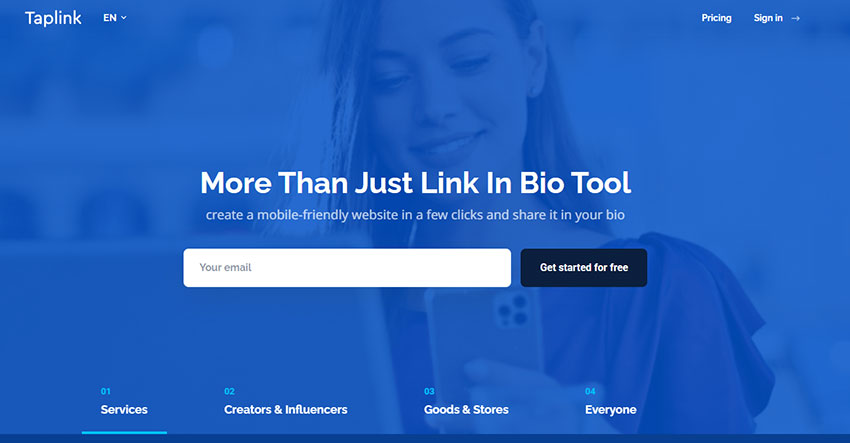
Taplink is a highly practical and budget-friendly link in bio tool designed primarily for freelancers, service providers, and small businesses that need more than just a list of links.
During testing, Taplink stood out for its focus on conversion-oriented page elements rather than simple navigation. Beyond standard link buttons, the platform allows users to add contact forms, payment buttons, booking widgets, and lead capture sections directly into the page. This makes it especially useful for users who rely on their bio page as a direct sales or inquiry funnel.
The setup process is relatively straightforward. The editor is beginner-friendly, but still provides enough flexibility to build functional, conversion-focused layouts without requiring design skills. Templates are optimized more for usability and action-taking rather than visual branding.
One of Taplink’s strongest use cases is service-based businesses. During testing, adding booking and payment elements significantly reduced the number of steps required for users to take action, which makes it more efficient than sending traffic to a separate website in some cases.
However, compared to more advanced platforms like Beacons or Campsite, Taplink’s analytics and branding depth are more limited. It prioritizes practicality over ecosystem depth or advanced marketing features.
Overall, Taplink is best suited for freelancers, consultants, and small business owners who want a low-cost, conversion-focused landing page without complexity.
Key Features
- Visual page builder
- Payment forms
- Lead capture tools
- CRM integrations
- Responsive templates
Pricing
- Free
- Pro: $3/month
- Business: $6/month
9. Carrd
Carrd is not a traditional link in bio tool, but it has become one of the most powerful options for users who want full creative control over how their bio traffic is presented.
During testing, Carrd felt fundamentally different from all other tools in this list. Instead of working within a predefined bio layout system, it allows you to build a complete single-page website from scratch. This makes the final result feel less like a social media extension and more like a dedicated landing page.
The level of flexibility is significantly higher than most link in bio platforms. You can fully customize layouts, embed forms, connect external tools, and create highly tailored designs that match a personal brand or business identity. For users who care about design precision, this level of control is a major advantage.
However, this flexibility comes with a clear trade-off. Compared to drag-and-drop bio tools like Linktree or Biolinku, Carrd requires more time to set up and a higher level of comfort with layout building. During testing, creating a polished page took noticeably longer than most other platforms in this list.
This makes Carrd less suitable for users who want quick setup and more suitable for designers, developers, consultants, or creators who treat their bio page as a serious landing page rather than a simple link hub.
Overall, Carrd is best for users who prioritize design freedom and branding control over speed and simplicity.
Key Features
- Full design control
- Custom domains
- Responsive templates
- Form integrations
- Advanced embeds
Pricing
- Pro Lite: $9/year
- Pro Standard: $19/year
- Pro Plus: $49/year
10. Stan Store
Stan Store is built specifically for creators who treat their bio link as a direct revenue channel rather than a simple navigation hub.
During testing, Stan Store felt more like a lightweight ecommerce and sales platform than a traditional link in bio tool. Instead of simply redirecting traffic to external pages, it focuses on completing the entire transaction flow within a single system.
The checkout experience is one of its strongest advantages. Product purchases, coaching bookings, and digital downloads are handled through a streamlined flow designed to reduce friction and improve conversion rates. For creators with an existing audience on TikTok, Instagram, or YouTube, this can significantly simplify the process of turning traffic into revenue.
Beyond product sales, Stan Store also supports funnels, lead capture, and appointment booking, allowing creators to centralize multiple monetization channels in one place. During testing, this made it feel closer to a “creator storefront” than a typical bio link tool.
However, this level of functionality comes with higher pricing compared to simpler tools like Biolinku or Lnk.Bio. For casual users or creators who only need basic link aggregation, Stan Store may feel unnecessarily complex and expensive.
Overall, Stan Store is best suited for serious creators who already have demand and want to maximize monetization directly from their social traffic.
Key Features
- Digital product checkout
- Funnel builder
- Appointment booking
- Lead capture tools
- Product hosting
Pricing
- Creator: $29/month
- Creator Pro: $99/month
Each platform above serves a different type of creator or business.
Some tools focus on monetization and digital sales, while others prioritize simplicity, branding flexibility, or affordability. The best option ultimately depends on how you plan to use your social traffic and what kind of experience you want to create for your audience.
To make the decision easier, the next section breaks down which link in bio tools work best for different goals and use cases.
How to Choose Link in Bio Tools for Your Goals
The best link in bio tool depends on how you plan to use your social traffic. Based on testing across multiple platforms, different tools consistently perform better depending on whether your priority is speed, monetization, cost efficiency, or brand control.
Below is a breakdown of the most reliable matches for each use case.
Goal-Based Tool Comparison
| Goal / Purpose | Recommended Tools | Why These Work Best |
|---|---|---|
| Beginners | Biolinku, Linktree, Lnk.Bio | These tools consistently performed best for speed and ease of setup. During testing, users were able to publish a functional page in minutes with minimal configuration. |
| Selling Products | Beacons, Stan Store, Later | These platforms combine product hosting, checkout flows, and lead capture. In testing, they reduced friction between traffic and purchase compared to link-only tools. |
| Budget-Conscious Creators | Biolinku, Lnk.Bio, Taplink | These tools delivered the strongest balance of functionality and cost. Lnk.Bio’s lifetime pricing and Taplink’s low entry cost made them stand out in long-term usage scenarios. |
| Branding & Customization | Carrd, Campsite, Taplink | These tools offer deeper layout control and stronger visual hierarchy. In testing, they consistently produced more “trust-like” page designs compared to template-heavy builders. |
Key Decision Insights
Beginners: prioritize speed over features
Tools like Biolinku and Linktree consistently performed best for first-time users because they minimize setup friction. In testing, most users were able to launch a usable page within minutes without needing design decisions.
Selling Products: prioritize conversion flow, not links
Beacons and Stan Store outperform basic link tools because they reduce the number of steps between traffic and purchase. Instead of sending users to external pages, they keep the entire transaction flow inside the platform.
Budget users: focus on long-term cost efficiency
Lnk.Bio and Taplink stood out in long-term use cases. Lnk.Bio’s lifetime pricing model was especially effective for creators who prefer avoiding recurring subscriptions, while Taplink offered strong functionality at a low monthly cost.
Branding: prioritize perceived trust, not flexibility alone
Carrd and Campsite produced the most consistent “professional feel” during testing. Pages with stronger visual hierarchy and spacing patterns tended to increase perceived credibility compared to more generic layouts.
Tips for Using Link in Bio Tools to Drive Real Results
Simply setting up a link in bio tool is not enough. Based on testing across multiple platforms, the difference in performance usually comes down to how the page is structured and how effectively it guides user attention toward a single action.
Here are the key optimization patterns that consistently performed best across the tools tested in 2026.
1. Focus on a Small Number of High-Intent Actions
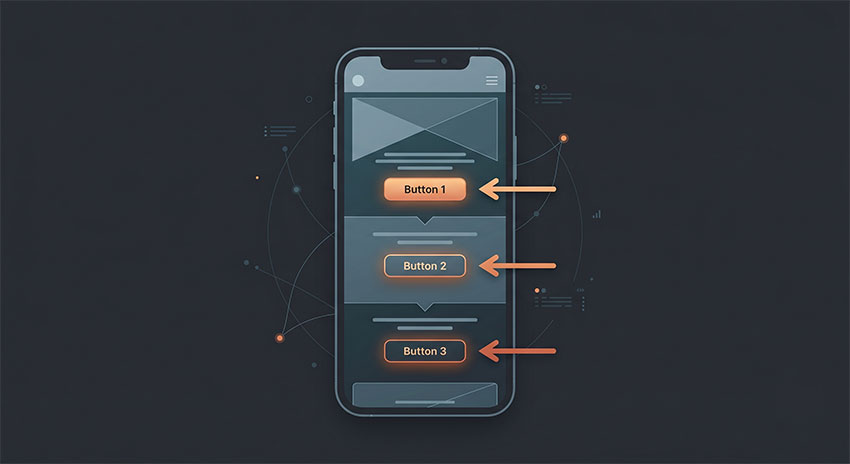
Across tools like Linktree, Biolinku, and Taplink, pages with fewer primary links consistently performed better in testing, especially on mobile-first traffic sources like Instagram and TikTok. Even though most platforms allow unlimited links, limiting the top section to 2–3 key actions created a clearer decision path for users.
In practice, this means prioritizing your most important goal—such as a product page in Stan Store, a lead form in Beacons, or a featured post in Later Link in Bio—and placing it above secondary links.
2. Use Action-Oriented Microcopy That Matches User Intent
During testing, generic labels like “Blog” or “Shop” consistently underperformed compared to action-driven text.
For example:
- “Watch My Latest Tutorial” performed better than “YouTube”
- “Grab 20% Off Today” performed better than “Shop”
This was especially noticeable on tools like Beacons and Taplink, where conversion-focused layouts make microcopy a major factor in click behavior.
3. Match Page Design With Your Social Identity
Tools like Campsite and Carrd showed that visual consistency plays a major role in perceived trust. When the bio page visually aligned with the Instagram or TikTok profile, users were more likely to continue interacting instead of bouncing.
On the other hand, highly generic or disconnected designs (common in basic setups on Linktree or free-tier tools) tended to reduce engagement.
4. Keep Your Links Actively Maintained
Across all tools tested, outdated links or expired promotions had a clear negative impact on user trust.
Pages that were regularly updated—especially in tools like Taplink or Stan Store—performed better because users always encountered relevant, working offers.
This is especially important for creators running time-sensitive campaigns or seasonal promotions.
5. Use Rich Media Where Conversion Matters
Tools that support embeds or media blocks (such as Beacons, Carrd, and Later Link in Bio) showed higher engagement when video or social proof elements were placed near primary CTAs.
A short introduction video or testimonial section at the top of the page often increased user trust before they clicked into monetization-related links.
Frequently Asked Questions (FAQ)
What is a link in bio tool?
A link in bio tool is a single URL used in social media profiles that opens a dedicated landing page containing multiple links, content embeds, and contact options such as social media feeds, videos, and lead forms.
It is commonly used by creators and businesses to direct traffic from platforms like Instagram, TikTok, and YouTube into a centralized destination instead of a single external page.
Can I use my own domain name?
Yes. Most established link in bio platforms allow custom domains (for example: links.yourname.com), typically available on paid plans such as Linktree Pro or Beacons Creator plans.
During testing across multiple tools, custom domains also improved perceived trust and branding consistency, especially for business-focused pages.
Are link in bio tools bad for SEO?
No. Link in bio tools are not inherently bad for SEO.
In fact, when used correctly, they can improve SEO performance by acting as a central distribution hub that connects your main website, social profiles, and content assets. This helps strengthen internal linking signals and improves overall content discoverability.
However, they should not replace your main website if organic search traffic is a primary growth channel.
Is it better to build my own page on WordPress or Wix?
It depends on your goal.
Building a custom page on WordPress or Wix gives you full control over design, SEO structure, and tracking capabilities. However, during testing, dedicated link in bio tools consistently performed better in terms of speed, mobile usability, and ease of updates.
For most creators, link in bio tools are more efficient for managing social traffic, while custom websites are better suited for long-term SEO and content depth.
Does Instagram or TikTok penalize users for using these tools?
No. Instagram and TikTok do not penalize users for using link in bio tools.
These platforms are designed to allow external linking through a single bio URL. As long as the destination content complies with platform policies, using tools like Linktree, Beacons, or similar services is completely safe.
Final Verdict on the Best Link in Bio Tools
The best link in bio tool in 2026 ultimately depends on your goals, but after testing across multiple platforms, a few clear categories stand out.
For most creators, Linktree remains the safest default choice thanks to its familiarity, reliability, and ease of setup. It’s the most balanced option if you simply want a clean, functional bio page without complexity.
If you are focused on budget and long-term value, Lnk.Bio and Biolinku stand out. Lnk.Bio is ideal for users who prefer a one-time or low-cost setup, while Biolinku is better suited for beginners who want a fast, simple, and free starting point.
For creators who care about monetization and revenue generation, tools like Beacons and Stan Store are in a different category entirely. These platforms are less about link organization and more about turning social traffic into direct income through products, funnels, and bookings.
For branding, design control, or professional presentation, tools like Campsite or Carrd may be a better fit depending on whether you prioritize collaboration or full creative freedom.
Across all testing, the key takeaway is simple: the best tool is not the one with the most features, but the one that aligns with how you convert social traffic into action.